Home Pass App: Change SSID/ Password
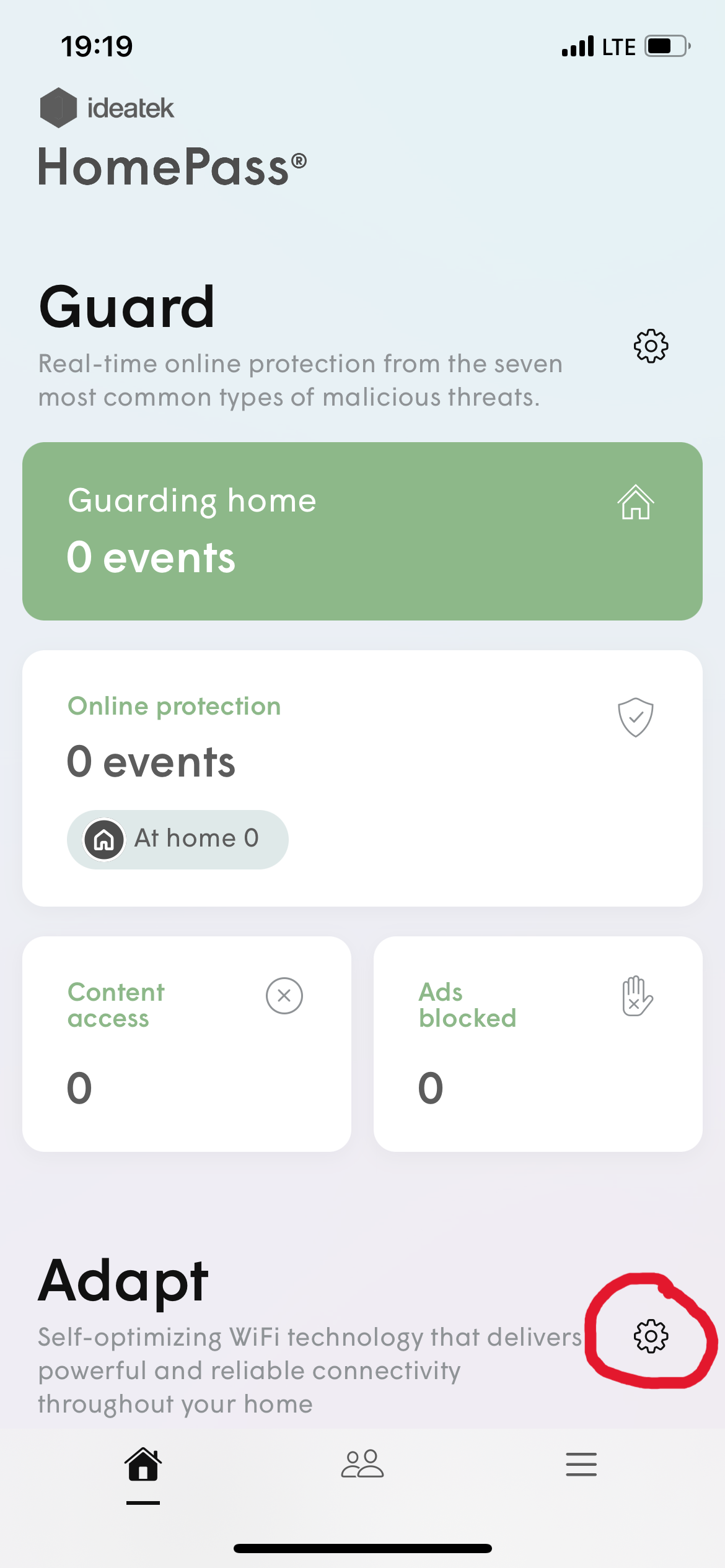
- Open your home pass app and select the cog wheel under "Adapt".
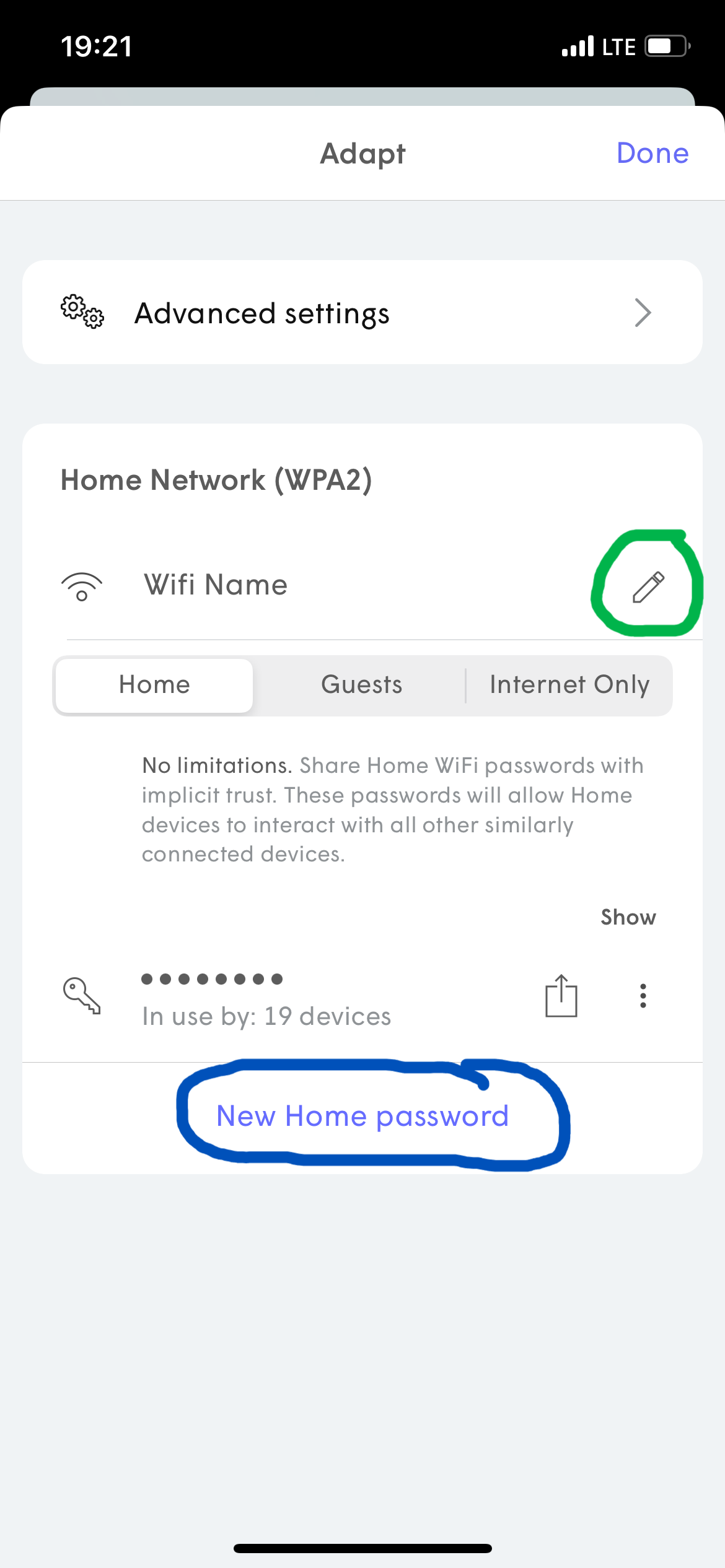
- Click the Pencil to the right of your WiFi and imput the name of your choice. If you want to change the password, select New Home Password and imput your new password.
- Once the WiFi name or Password has been changed, all devices may be booted off the network. You will need to reconnect your devices with the new information.
- Still having issues changing the WiFi name or Password? Contact us for more support.
Related Articles
Home Pass App: Set Freeze Schedule
Open your Home Pass app, scroll to the bottom and select the cog wheel under "Control". Select what freeze type you would like to do. The app offers a preset "Bedtime" freeze and "Indefinate" freeze with the option of "Custom" freeze. These will ...
Home Pass App: Set Port Forward
Open the Home Pass app and select the cog wheel under "Adapt". Select "Advanced Settings" Select "New IP Reservations" and select the device you are wanting to select a port forward for. Once you select the device, it will take you back a place and ...
Plume Home: Learn More About Your Router Management App
Welcome to our breakdown of Plume Home, the management app for your router. Previously known as HomePass by Plume app, Plume Home builds upon the previous experience with a new modern design, and even more powerful capabilities to enable you to be ...
Plume Home App: How to Connect 2.4GHz Devices (Blink Cameras, Amazon Echo, etc.)
Having trouble connecting your Blink Cameras, Amazon Echo, or other 2.4GHz devices to your Plume network? While the advantages of WiFi 6 networks are undeniable, such as increased speed and efficiency, it can sometimes present compatibility barriers ...
Why Running Two Home Wi-Fi Networks Can Cause Problems
Ever thought about running two separate Wi-Fi networks in your home — maybe from two different internet providers — to maintain super-fast internet? Perhaps you have just switched to IdeaTek and are still running your previous provider's router to ...